Find the right laptop for your design journey
Answer three quick questions about your course, budget, and workflow — get matched to laptops that will carry you through four years of design education.
No sign-in required · No data collected · Just good advice
Find your laptop
Filter by course, budget, and workload
Every laptop listed here is hand-picked based on real course requirements and years of experience guiding design students.
Your Course
Prices may vary. For the latest price, click See on Amazon.

HP · fa2308TX
HP Smartchoice Victus
Premium tier

HP · ap0181AX
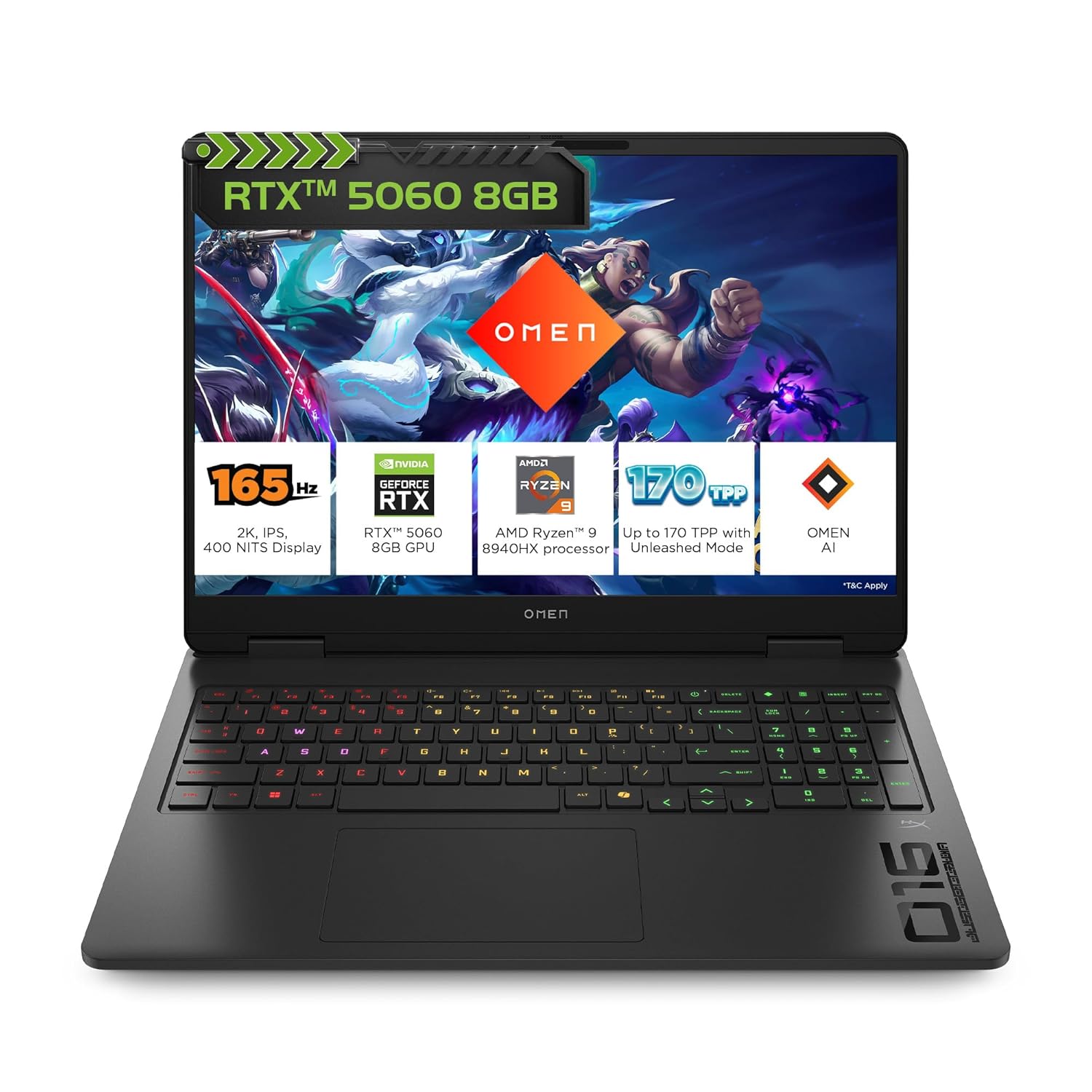
HP Omen Gaming Laptop
Advanced tier

HP · fa2303tx/fa2315tx
HP Smartchoice Victus
Balanced tier

Lenovo · LOQ
Lenovo LOQ 2024 Gaming Laptop
Value tier

HP · fb3134AX/3120ax
HP Smartchoice Victus
Balanced tier

HP · ap0182AX
HP Omen Gaming Laptop
Premium tier
Understanding laptop specs
Not sure what CPU, VRAM, or thermals mean? Here's everything you need to know — in plain language.
The Brain
CPU
- Runs your software, processes files, handles multitasking
- Intel Core i7/i9 H-series or AMD Ryzen 7/9 HS/HX for design work
- H-class only — U-class chips throttle under sustained creative load
- Faster CPU = quicker 3D bakes, video exports, simulation calculations
- More cores help when running Blender, Photoshop, and AI tools together
The Visual Engine
GPU
- Powers 3D rendering, AI generation, real-time previews, video processing
- NVIDIA RTX 4050 (6GB VRAM) is the practical minimum
- RTX 4060 (8GB VRAM) strongly preferred for 3D, animation, game, or AI
- VRAM is the most critical figure — aim for 6–8GB minimum
- CUDA unlocks Stable Diffusion, Blender CUDA, DaVinci, and local AI models
Your Working Table
RAM
- Holds all active apps, open files, and background processes
- 16GB is the floor — 24–32GB strongly preferred
- 3D, AI tools, and large file workflows exhaust 16GB quickly
- Upgradeable RAM extends useful laptop life at low cost (~₹4,000–6,000)
- Soldered RAM caps you permanently at what the laptop ships with
Speed and Space
SSD
- Faster SSD = quicker boot, file saves, and 3D asset loading
- 512GB is a bare minimum — assets and renders fill it fast
- 1TB NVMe is the recommended starting point
- NVMe (M.2) SSDs are significantly faster than SATA drives
- A free M.2 slot lets you add storage later without replacing the drive
Colour and Clarity
Display
- Colour accuracy is non-negotiable for any design discipline
- Minimum: 100% sRGB coverage — DCI-P3 is a bonus for video/photo
- 15–16 inch screen is more comfortable for extended creative work
- 144Hz+ matters for game design and animation; less so for 2D and UI
- Matte panel reduces glare under varied studio lighting
Performance Under Load
Thermals
- Thin laptops throttle their GPU to prevent overheating
- Same RTX 4060 can run 20–30% slower in a slim chassis vs. a proper build
- Heavier chassis = better cooling = consistent sustained performance
- Always check thermal reviews — benchmark peaks do not tell the full story
- Critical if you render, animate, or run AI workflows for hours at a time
Extending Your Laptop's Life
Upgradability
- Start at 16GB RAM, upgrade to 32GB a year later for ~₹5,000
- A free M.2 slot lets you expand storage without opening the main drive
- Upgradeable laptop beats a sealed one with the same specs — every time
- Ask before buying: is RAM soldered? How many M.2 slots are free?
- Upgradeability is the single biggest factor in 4-year value
The changing landscape
Design education is computationally evolving
Design students are no longer using laptops only for documentation, browsing, and basic layout work. Across disciplines, AI-assisted ideation, 3D visualisation, video workflows, simulation, and real-time rendering are becoming part of creative education. The right laptop should be chosen not only for the first semester, but for the full design-learning journey.
Communication, Fashion, Brand
ModerateAI-assisted ideation, text-to-image generation, mockup creation, and brand toolkit automation are entering design workflows. 2D-heavy work remains manageable on mid-range hardware, but generative tools increasingly benefit from a capable GPU.
Product, Interaction, Interior
Significant3D visualisation, parametric modelling, simulation tools, and real-time rendering previews are increasingly used across these disciplines. Expect Blender, Rhino, or SketchUp to be part of the toolkit within the first year.
Animation, Film, Motion
Very HighGPU rendering (Cycles, V-Ray, Arnold), AI-assisted in-betweening, motion capture processing, and video grading workflows demand heavy compute. 8GB+ VRAM and fast multi-core CPUs are not optional for sustained use.
Game Art, Game Design, Programming
Very HighReal-time rendering engines (Unreal 5, Unity), procedural asset creation, shader development, and live game testing are the core workflow. RTX 4060 is a practical minimum; 4070 is strongly preferred for Unreal 5 work.
Transportation & Mobility Design
Very HighSurfacing, photorealistic rendering, fluid simulation, and structural analysis tools are computationally intensive. These disciplines sit at the high end of hardware requirements — plan for the highest practical GPU tier in your budget.
AI in Creative Practice
CriticalRunning local diffusion models, fine-tuning workflows, generative design scripting, and GPU-accelerated inference require 8GB+ VRAM as a baseline. This discipline has the highest compute requirements of any design course.
Communication, Fashion, Brand
ModerateAI-assisted ideation, text-to-image generation, mockup creation, and brand toolkit automation are entering design workflows. 2D-heavy work remains manageable on mid-range hardware, but generative tools increasingly benefit from a capable GPU.
Product, Interaction, Interior
Significant3D visualisation, parametric modelling, simulation tools, and real-time rendering previews are increasingly used across these disciplines. Expect Blender, Rhino, or SketchUp to be part of the toolkit within the first year.
Animation, Film, Motion
Very HighGPU rendering (Cycles, V-Ray, Arnold), AI-assisted in-betweening, motion capture processing, and video grading workflows demand heavy compute. 8GB+ VRAM and fast multi-core CPUs are not optional for sustained use.
Game Art, Game Design, Programming
Very HighReal-time rendering engines (Unreal 5, Unity), procedural asset creation, shader development, and live game testing are the core workflow. RTX 4060 is a practical minimum; 4070 is strongly preferred for Unreal 5 work.
Transportation & Mobility Design
Very HighSurfacing, photorealistic rendering, fluid simulation, and structural analysis tools are computationally intensive. These disciplines sit at the high end of hardware requirements — plan for the highest practical GPU tier in your budget.
AI in Creative Practice
CriticalRunning local diffusion models, fine-tuning workflows, generative design scripting, and GPU-accelerated inference require 8GB+ VRAM as a baseline. This discipline has the highest compute requirements of any design course.
Communication, Fashion, Brand
ModerateAI-assisted ideation, text-to-image generation, mockup creation, and brand toolkit automation are entering design workflows. 2D-heavy work remains manageable on mid-range hardware, but generative tools increasingly benefit from a capable GPU.
Product, Interaction, Interior
Significant3D visualisation, parametric modelling, simulation tools, and real-time rendering previews are increasingly used across these disciplines. Expect Blender, Rhino, or SketchUp to be part of the toolkit within the first year.
Animation, Film, Motion
Very HighGPU rendering (Cycles, V-Ray, Arnold), AI-assisted in-betweening, motion capture processing, and video grading workflows demand heavy compute. 8GB+ VRAM and fast multi-core CPUs are not optional for sustained use.
Game Art, Game Design, Programming
Very HighReal-time rendering engines (Unreal 5, Unity), procedural asset creation, shader development, and live game testing are the core workflow. RTX 4060 is a practical minimum; 4070 is strongly preferred for Unreal 5 work.
Transportation & Mobility Design
Very HighSurfacing, photorealistic rendering, fluid simulation, and structural analysis tools are computationally intensive. These disciplines sit at the high end of hardware requirements — plan for the highest practical GPU tier in your budget.
AI in Creative Practice
CriticalRunning local diffusion models, fine-tuning workflows, generative design scripting, and GPU-accelerated inference require 8GB+ VRAM as a baseline. This discipline has the highest compute requirements of any design course.
A note on planning: Students do not always need the most expensive laptop. But they should buy with a 3–4 year academic journey in mind. A well-chosen ₹90,000 laptop with 16GB RAM, an RTX 4060, and an upgradeable slot will serve most students better than a ₹1,20,000 thin laptop with soldered 16GB RAM and an RTX 4050.
Already have a MacBook or iPad?
Here's how to think about it for design education.
MacBook Air / Pro (M-series)
MacBooks are excellent for writing, note-taking, web browsing, Figma, Sketch, light Adobe work, photography, and video editing in Final Cut. They run cool and quiet, and battery life is outstanding. If you already own one, it will serve you well for communication design, UI/UX, fashion communication, and brand management courses.
However, for 3D modelling (Blender, Rhino, 3ds Max), game development (Unreal Engine), rendering with CUDA/NVIDIA acceleration, AI workflows with NVIDIA GPUs, and most simulation tools used in animation, game, product, interior, and transportation design — a Windows laptop with an NVIDIA RTX GPU is generally the safer, more capable choice. The design industry largely runs these tools on Windows with NVIDIA hardware.
Windows + NVIDIA RTX — native AI advantage
NVIDIA's CUDA platform is the backbone of nearly every serious AI and creative computing tool — Stable Diffusion, ComfyUI, Blender Cycles, DaVinci Resolve, Topaz, and most local LLM runners (Ollama, llama.cpp) all run significantly faster, or exclusively, on CUDA. Apple Silicon has its own ML acceleration, but CUDA compatibility remains the industry standard and the gap widens as models grow larger.
Regardless of your design discipline — even if you are studying communication or fashion — if you want to run local AI models, explore generative image workflows, automate tasks with AI scripts, or experiment with creative coding and diffusion tools, an NVIDIA RTX GPU gives you direct access to the full ecosystem without workarounds. This is increasingly relevant across every design field, not just the compute-heavy ones.
iPad
An iPad with Apple Pencil is a valuable companion for sketching, note-taking, ideation, and mood boarding. It is not a replacement for a laptop for design coursework. Use it alongside your main laptop, not instead of one.
Practical advice: Students who already own a MacBook or iPad may use them initially and decide after understanding their specific course workload. Heavy 3D, animation, game, AI, and computational design workflows will benefit from a Windows machine with an NVIDIA RTX GPU sooner — but even lighter disciplines benefit the moment you want to run AI tools natively.
Still unsure? Ask your doubt
Join the laptop guidance group on WhatsApp. Get advice from students and advisors who have been through the same buying decisions.